
Working from home shouldn’t mean giving up the scan-to-email shortcuts, secure printing and cloud workflows you rely on at the office. The problem is that most enterprise Xerox machines are the size of a refrigerator.
Here’s the direct answer: the compact Xerox printers with enterprise features worth considering are the VersaLink C415 and B415 (full ConnectKey Technology) and the C235, B235, C325 and B315 (smaller, cheaper and Workflow Central-ready). At Clear Choice Technical Services, we install and service these machines every week, and the right pick comes down to one question: does your company manage its printers through Xerox software?
TL;DR: Several compact Xerox printers deliver full enterprise features for home use. The VersaLink C405 and B405 offer ConnectKey® technology, AES-256 encryption, badge authentication, and Xerox Workplace Solutions compatibility in a desktop-sized body. The newer C315 and B315 pack WPA3 wireless security and cloud workflows into an even smaller frame. All four models give remote workers the same security and fleet management tools found in corporate offices.
Key Takeaways:
- The Xerox VersaLink C405 is a compact color multifunction laser printer with full ConnectKey® support, single-pass duplex scanning, and Common Criteria certification-built for executive home offices.
- The VersaLink B405 prints up to 47 ppm in black and white and supports encrypted secure print, making it a workhorse for legal and finance teams at home.
- The Xerox C315 and B315 fit under 18 inches wide, support Wi-Fi Direct with WPA3, and still integrate with Xerox Workplace Solutions for remote fleet management.
- Compact Xerox printers can handle monthly volumes up to 8,000 pages while maintaining enterprise-grade endpoint security that consumer printers simply lack.
- Managed Print Services and copier leasing turn these enterprise devices into predictable monthly expenses for small business and home office deployments.
Why Enterprise Features Matter in a Home Office or Small Business Printer
Your home office probably handles the same contracts, financial data, and client information you used to print down the hall from IT. The difference? That $100 inkjet printer on your desk has no firewall, no encrypted storage, and no way for your IT team to push a firmware patch. It is a security gap sitting three feet from your router.
Compact Xerox printers with enterprise features solve that problem. Models like the VersaLink C405, VersaLink B405, C315, and B315 deliver laser printer speed, comprehensive security features, and Xerox Workplace Solutions integration in a form factor that fits on a home desk. They save space by consolidating multiple devices into one compact device-print, scan, fax, copy-without sacrificing the protections your company requires. Careful selection of enterprise features is crucial for effective document security and management, especially when sensitive data leaves the corporate building.
We’re Clear Choice Technical Services. We help small business and home office clients choose the right printer for a small office or home office setup, then lease and support it so you get corporate-grade protection without the corporate-sized footprint.
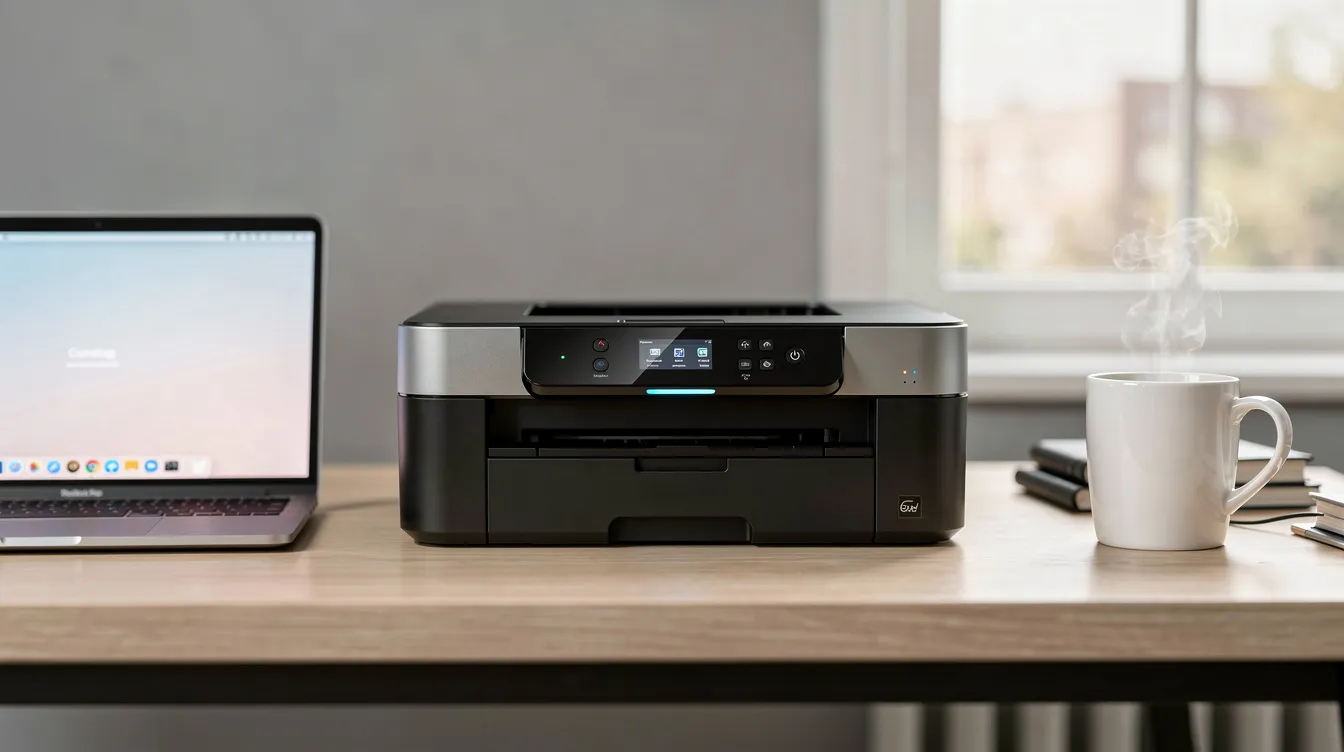
What Makes Compact Xerox Multifunction Printers “Enterprise-Grade” for Home Use?
An enterprise-grade compact Xerox printer is a small-footprint laser printer or multifunction printer that includes the same security stack, fleet integration, and workflow automation you would find in large Xerox office printers deployed across busy offices and medium sized offices. These capabilities bring the latest commercial printer technology to compact home-office devices.
Here is what separates these machines from basic home printers:
Endpoint Security
- IP filtering, port filtering, and domain restrictions block unauthorized network access
- 802.1X authentication and SNMPv3 protect data in transit
- Encrypted secure print holds documents until the user authenticates at the panel with a PIN or badge
- Firmware verification checks code integrity at every boot, stopping tampered software from running
- AES-256 hard drive encryption and automatic image overwrite remove residual data after every job
Multi-layered security is essential for protecting sensitive corporate and client data, and these features deliver exactly that.
ConnectKey® Technology
ConnectKey technology is Xerox’s unified app platform. It connects the printer directly to cloud storage-Google Drive, Microsoft OneDrive, SharePoint, Box, Dropbox-so you can scan documents to the cloud or print from it without touching a PC. Multifunction printers combine printing, scanning, copying, and faxing through this single interface. Many models also include features like duplex printing to save paper and an automatic document feeder for multi page documents.
Fleet Management & Telemetry
Through Xerox Workplace Solutions (Workplace Suite or Workplace Cloud), IT teams can monitor monthly print volume, push security patches, enforce print policies, and pull audit logs-all remotely. This works the same whether the printer sits in a Cleveland corporate tower or a home office in Austin.
Advanced Workflows
Xerox Workflow Central adds cloud-based OCR, redaction, translation, and audio conversion. You scan a contract, and it routes automatically as a searchable PDF to the right folder with consistent naming conventions. Modern teams save time and reduce manual steps.
Which Compact Xerox Models Offer Enterprise Features for Home Use?
There is no single “best” model. Several compact Xerox laser printers and multifunction printers fit different business needs and space constraints. All of them meet enterprise expectations for security, reliability, and integration with Xerox Workplace Solutions-making them safe for corporate networks even when they sit in your spare bedroom.
Three model families stand out: the VersaLink C405 (premium color MFP), the VersaLink B400/B405 (compact monochrome workhorses), and the C310/C315 plus B310/B315 (modern small-footprint desktop units).
Xerox VersaLink C405: Executive-Grade Color in a Desktop Footprint
The Xerox VersaLink C405 is a compact color multifunction printer that fits on a desktop yet delivers full ConnectKey® support, AES-256 encryption, Common Criteria certification, and fast color printing at up to 36 ppm. It is built for executives working from home who need enterprise security without a department-sized machine.
Specs that matter for a home office: the C405 is a color laser printer that handles letter and legal paper size media, offers a 550-sheet main tray plus a bypass tray with expandable paper capacity, and carries a duty cycle of up to 80,000–85,000 pages per month. Its 5-inch tablet-style capacitive touchscreen lets you build 1-Touch Apps for repeatable workflows-scan fax email in a few taps.
Enterprise features include single-pass duplex scanning (both sides in one pass), an optional card reader for badge authentication, secure print with PIN release, and full audit logging. The VersaLink C405 has passed Common Criteria evaluation under the Protection Profile for Hardcopy Devices, which matters in regulated industries.
Color printers are ideal for marketing and design tasks, client proposals, and vibrant images in reports. We frequently recommend the C405 for home offices where small teams handle sensitive color documents and need audit trails. If you want a similar color powerhouse in a slightly newer chassis, the VersaLink C415 is also worth a look.
Xerox VersaLink B400/B405: Compact Monochrome Workhorses for Heavy Text Printing
The VersaLink B400 (print-only) and B405 (all in one printer with scan, fax, copy) are compact, high-speed black and white laser printers built for serious print volume in small offices and home offices. If you print frequently and don’t need color output, these are your machines.
Performance: up to 47 ppm on letter, with a maximum duty cycle that can reach 110,000–150,000 pages per month. High-volume printers can handle up to 100,000 pages monthly, and the B405 exceeds that ceiling. Recommended monthly usage sits in the mid-thousands for longevity, which is plenty for a home-based legal or finance role. Monochrome printers excel in legal and administrative settings where speed and running costs matter more than color output. Color toner cartridges are generally more expensive than black cartridges, so going mono saves real money per page.
The enterprise security stack mirrors the C405: ConnectKey® platform, certificate management, secure firmware updates, encrypted storage, and IP/port filtering. The B405 also supports a 60-sheet reversing automatic document feeder, making it efficient for scanning multi page documents.
Their vertical tower design keeps the footprint compact while offering robust paper capacity. For organizations needing even higher-speed monochrome output, the VersaLink B625 is the next step up.
Xerox C310/C315 and B310/B315: Smallest Footprint with Serious Security
The Xerox C315 (color) and B315 (mono) are ultra-compact laser printers designed for home offices and remote workspaces where desk space is at a premium. They still bring enterprise-ready security and fleet features that generic home printers can’t match.
Footprint class: the B315 measures roughly 16.2 × 14.4 × 13.3 inches and weighs about 28 pounds. That fits on a shelf, a credenza, or a tight spaces corner desk. The print engine runs quieter than larger VersaLink models, which matters when your office is also your living room.
Modern connectivity stands out here. These models support Wi-Fi Direct, WPA3 enterprise security, built in Wi Fi, and mobile printing via Apple AirPrint, Mopria, and Wi-Fi Direct-so you can print from multiple devices without cables. The Xerox Smart Start and Easy Assist apps let non-technical users set up the printer securely in minutes. Xerox printers support mobile printing via Wi-Fi and Ethernet, covering both wired and wireless setups. Consider footprint and connectivity for space efficiency when choosing between these and larger units.
Compact Xerox printers can handle monthly volumes up to 8,000 pages, and the B315 supports up to 42 ppm in black and white printing. Compact Xerox printers are ideal for small office environments-remote engineers, analysts, and managers printing contracts, invoices, and reports. While more affordable than VersaLink units, these models still integrate with Xerox Workplace Solutions and support encrypted secure print, making them a secure printer option over generic alternatives.
Also worth noting: the Xerox C235 prints up to 35 pages per minute, and the Xerox C255a features printing, scanning, copying, and faxing-both sit in this same compact class and share similar innovative features.
Comparison Table: Compact Xerox Models with Enterprise Features
Printers should match your monthly print volume needs, and monthly print volume affects printer selection and operating costs. Here is how the key models stack up for home offices and small business teams:
| Model Line | Category | Footprint Class | Enterprise Security & Tech | Recommended Monthly Print Volume | Best Home Role |
| Xerox VersaLink C405 | Color MFP | Mid-Desktop | ConnectKey®, Badge Access, AES-256, Common Criteria | 6,000–15,000 pages | C-Suite / Executive WFH |
| Xerox VersaLink B405 | Mono MFP | Mid-Desktop | ConnectKey®, RADF, Fleet Management, FIPS 140-2 | 6,000–15,000 pages | Legal / Finance Remote Leads |
| Xerox C315 | Color MFP | Small-Desktop | WPA3, Wi-Fi Direct, Cloud Workflows, Secure Print | 4,000–8,000 pages | Marketing & Ops Managers |
| Xerox B315 | Mono MFP | Micro-Desktop | Wi-Fi Direct, Encrypted Print, Smart Start Setup | 4,000–8,000 pages | Remote Engineers & Analysts |
| Xerox B310 | Mono Printer | Micro-Desktop | Secure Firmware, Port Filtering, Wireless Security | 2,000–6,000 pages | Individual Contributors |
| Xerox C310 | Color Printer | Micro-Desktop | WPA3, Mobile Ready, Secure Boot | 2,000–6,000 pages | Small Teams / Light Color Use |
Multifunction printers combine printing, scanning, and copying, while single-function models like the B310 and C310 focus on print quality and compact design only.
How to Get Enterprise Scanning and Workflow Features on a Compact Xerox Home Printer
To get enterprise scanning features on a compact Xerox home printer, you need a ConnectKey®-enabled device and cloud services like Xerox Workflow Central or Workplace Solutions. Without these, your scanner is just making PDFs-not routing, redacting, or converting documents automatically.
Here is the setup process:
- Select a compatible model – VersaLink C405, B405, C315, or B315 all support ConnectKey® apps and cloud scanning
- Enable ConnectKey apps – Access the Xerox App Gallery from the printer’s touchscreen and install connector apps for your cloud platforms
- Configure cloud storage connectors – Link Google Drive, OneDrive, SharePoint, Box, or Dropbox using your corporate credentials
- Set up scan-to-email and scan-to-cloud – Define default destinations, file formats (searchable PDF, DOCX), and naming rules
- Apply security policies – Enable encryption for scanned files, restrict scan destinations to approved domains, and require user authentication before scanning
Enterprise scanning features go beyond basic flatbed scans. They include OCR for searchable text, automatic routing based on document type, redaction of sensitive fields, translation between languages, and consistent file naming for compliance. Many multifunction printers offer automatic document feeders for efficiency, letting you scan documents in bulk without manual page-by-page feeding, and technicians rely on resources like our detailed Brother laser printer service manual library to keep those devices running at peak performance.
We configure these workflows as part of our managed print services and remote IT support engagements for customers across our nationwide service locations. You tell us what your team needs; we set it up before the printer ships to your door.
Enterprise Deployment & IT Management Strategies for Remote and Home Offices
Corporate IT teams can manage compact Xerox home printers the same way they manage any office printers-through Xerox Workplace Solutions, CentreWare Web, and solid zero-trust policy design. The printer in your home office shows up on the same dashboard as the fleet in headquarters.
Best practices for remote deployment:
- Enforce secure print – Require PIN or mobile app release before documents print. No more sensitive pages sitting in an output tray while you grab coffee.
- Require user authentication – Badge, PIN, or credential login before anyone accesses scan, fax, or copy functions
- Log every job – Enable audit trails for compliance. Every print, scan, and fax gets recorded with timestamps and user IDs.
- Push firmware automatically – Use Xerox Device Manager to deploy security patches across remote devices without asking users to do anything
Centralized fleet management allows IT teams to monitor multiple devices across locations, including home offices in Cleveland and every other city where your people work. High-density printing requirements demand fast and reliable printing solutions, and Cleveland organizations require reliable print solutions to manage printing needs in high-density environments-the same applies wherever your remote team is based, whether you’re running Xerox units or other brands supported by our Savin and Ricoh service manual archive.
Zero-touch provisioning through Xerox Smart Start or Easy Assist means non-technical employees can install the printer in minutes. The app walks them through Wi Fi setup, driver installation, and security configuration. No IT house call required—and when you standardize on other fleets, detailed HP Color LaserJet enterprise service manuals support the same kind of consistent deployment and maintenance.
VPN-free printing through Xerox Workplace Cloud lets employees print securely over their home internet without clogging corporate VPN tunnels. Preventive maintenance and monitoring keep devices running without surprise downtime.
Buying, Leasing, or Short-Term Rental for Compact Enterprise Xerox Home Printers
You have three main options: buying for long-term ownership, copier leasing for predictable monthly costs, or short-term rental for temporary remote work setups. Each fits a different situation.
Buying works when you have a stable workload, clear long-term use in a home office, and internal IT staff to handle maintenance. Buying requires a larger upfront investment, and buying leaves you responsible for maintenance and repairs-toner, parts, service calls all come out of your pocket.
Leasing makes sense for most small and mid-sized businesses. Leasing spreads costs into predictable monthly payments and often bundles service and maintenance into one program. Leasing can provide access to higher-end machines like the VersaLink C405 that might be hard to justify as a cash purchase. Managed Print Services can simplify toner replenishment and device maintenance for organizations running leased fleets. For example, our guide comparing copier rental vs copier leasing in Las Vegas breaks down how costs and terms differ in real-world scenarios.
Short-term rental fits project-based remote teams, temporary home offices, or pilot programs before you standardize on a fleet model. Our short-term rental options cover exactly this kind of flexible need.
We handle all three at Clear Choice Technical Services-leasing, sales, and rentals with full support, backed by hands-on field experience troubleshooting issues like Xerox Altalink C8030 power problems in real customer environments.
How Compact Enterprise Printers Compare to Consumer Home Printers
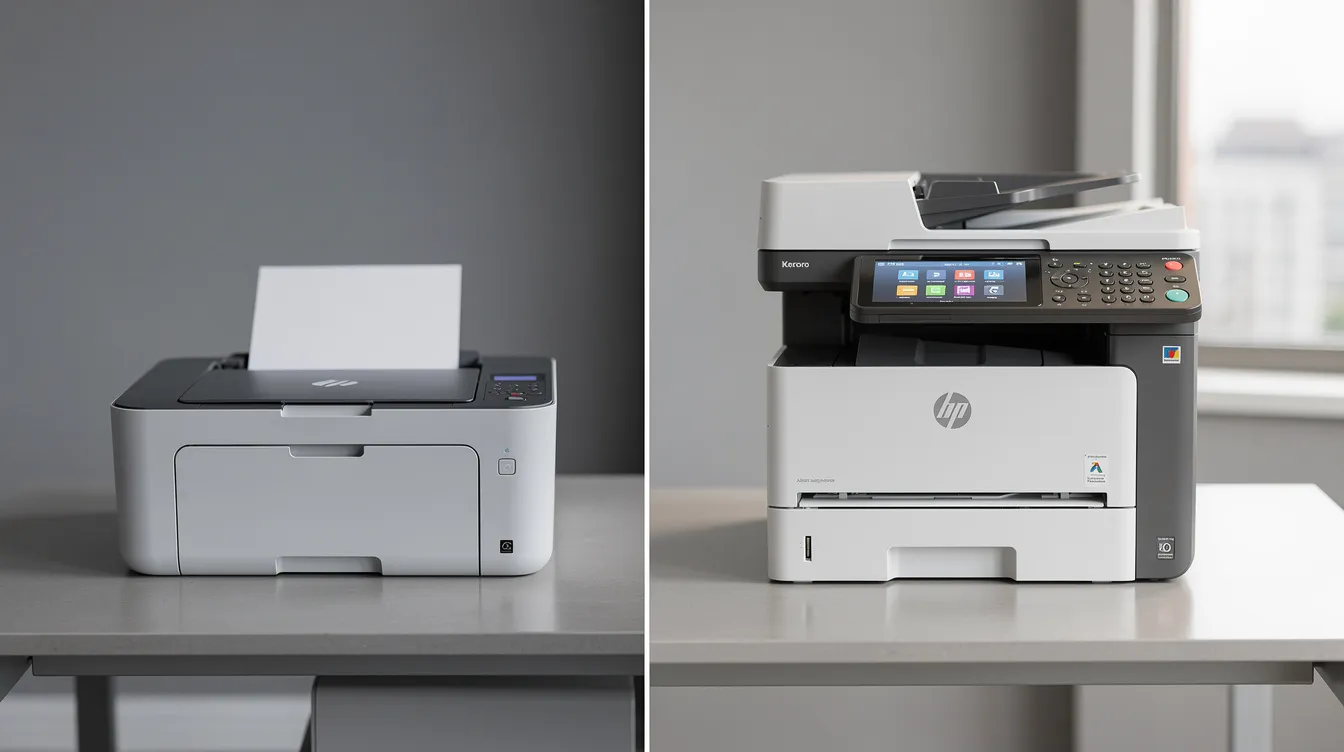
The core differences come down to security stack, duty cycle, recommended monthly print volume, management tools, and total cost of ownership. A compact color printer from a big-box store and a Xerox VersaLink C405 may look similar in size, but they are fundamentally different machines, as we’ve seen in our candid HP LaserJet 3055 warning review where consumer models fall short in business use.
Key contrasts:
- Security: Enterprise models include firmware verification, encrypted storage, IP filtering, and user authentication. Consumer printers typically have none of these.
- Duty cycle: Enterprise compact Xerox printers handle 80,000+ pages per month. Most consumer inkjet printers top out around 1,000–3,000.
- Cost per page: Laser printers have lower cost per page than inkjets. Over a year of moderate use, the savings add up fast. Ink tank printers can produce thousands of pages per refill, but they still lack enterprise security and fleet tools.
- Management: IT departments often ban generic home printers from corporate networks because there is no fleet visibility, no firmware control, and no audit trail.
- Paper handling: Enterprise models offer expandable paper capacity, larger trays, and automatic two sided printing standard. Consumer models often skip these multifunction features.
While enterprise compact Xerox printers cost more upfront, lower per-page costs, longer lifespans, and fewer support incidents save money for small business and remote teams over time. That is affordable performance with real security behind it.
FAQ: Compact Xerox Enterprise Printers for Home and Small Offices
These are the questions we hear most from IT managers and remote workers shopping for the best printers with enterprise features for office use at home.
Can I use a compact Xerox VersaLink printer in my home office on a corporate network? Yes. VersaLink models like the C405 and B405 support 802.1X authentication, IPsec, and certificate-based network enrollment. Your IT team can onboard the device remotely through Xerox Workplace Cloud without a VPN, and it will comply with corporate security policies just like any printer in the main office.
Do small business printers like the C315 support Xerox Workplace Solutions? The C315 and B315 support Xerox Workplace Solutions integration, including secure print release and basic fleet telemetry. Some advanced features like full App Gallery access may be more limited compared to VersaLink models, but core management and security capabilities are present.
What is a safe monthly print volume for the Xerox B315 in a home office? Xerox recommends roughly 6,000–8,000 pages per month for the B315 to balance speed, consumable life, and mechanical wear. Most home office users fall well under that range, which means the B315 will run comfortably for years.
Is a monochrome laser printer enough for most home offices? For most roles-legal, finance, operations, engineering-a monochrome multifunction laser printer like the B405 or B315 handles 90% of daily tasks. If you regularly produce marketing materials, color documents, or client-facing proposals with vibrant images, step up to the C405 or C315 as a compact color printer.
How do I secure scanning to cloud from my home Xerox printer? Enable encrypted scan-to-cloud through ConnectKey® apps. Configure your cloud connector with corporate credentials, restrict scan destinations to approved domains, and require user authentication before every scan job. This keeps your scan fax and scan-to-cloud workflows locked down.
Do these printers support mobile ready Apple AirPrint Mopria Wi Fi Direct? Yes. The C315, B315, and VersaLink models all support Apple AirPrint, Mopria, and Wi Fi Direct for mobile printing from multiple devices-phones, tablets, and laptops. Wi Fi connectivity is built in or available as an add-on depending on the model.
Can a large business use these compact printers for a distributed remote fleet? Absolutely. Many organizations deploy dozens of compact Xerox printers across home offices and manage them centrally through Xerox Workplace Cloud and Device Manager. Each device reports status, supply levels, and security compliance back to IT automatically.
Choosing the Right Compact Xerox Printer with Enterprise Features
Here is the short version: pick the VersaLink C405 or B405 if you need full ConnectKey® integration, badge authentication, and deep audit trails. Choose the C315 or B315 if desk space is tight but comprehensive security and fleet management are non-negotiable. Either way, compact Xerox printers with enterprise features close the gap between your corporate network and your home office.
The best compact Xerox printers with enterprise features come in two tiers. Choose the VersaLink C415 or B415 if you need ConnectKey apps and Xerox Workplace Solutions compatibility. Choose the C235, B235, C325 or B315 if you want a smaller, lower-cost machine and can add enterprise scanning through Xerox Workflow Central.
Need Xerox printer setup or repair in Cleveland?
Is your compact Xerox acting up, or does your new VersaLink need to join your company’s secure-print setup? Clear Choice Technical Services can help fast. We send a technician to your home office or workplace as soon as possible, and we service all copier and printer brands, including machines you didn’t buy from us, with access to resources like Lexmark CX and MC-series service manuals for fast, accurate repairs.
Whether you work from home near Shaker Heights or at an office Downtown, we handle quick Cleveland repair calls across Cuyahoga County. We cover everything from simple paper jams and Workflow Central scanning setup to large multifunction office machines, supported by in-depth resources like our Lexmark MB2650 and MX622 service manuals when your fleet includes non-Xerox gear.
Call Clear Choice Technical Services of Cleveland at (216) 303-6258 for fast printer repair, home-office setup, or a trusted copier lease in Cleveland.
